> ## Documentation Index
> Fetch the complete documentation index at: https://docs.getkadabra.com/llms.txt
> Use this file to discover all available pages before exploring further.
# Build a Flow Manually
> Drag nodes from the catalog, connect them, and set parameters
# Build Manually: Example
If Prefer to craft it yourself. Use the Nodes Catalog & Canvas to design your flow.
\*\*Best Practice: \*\*We recommend you build your flows using Kadabra AI Agent! It does it faster and optimize flows for best cost & quality! [Learn how to build with Kadabra's AI Agent.](how-to/build-with-agent.mdx)
## Example: curate subreddit posts and notify Slack
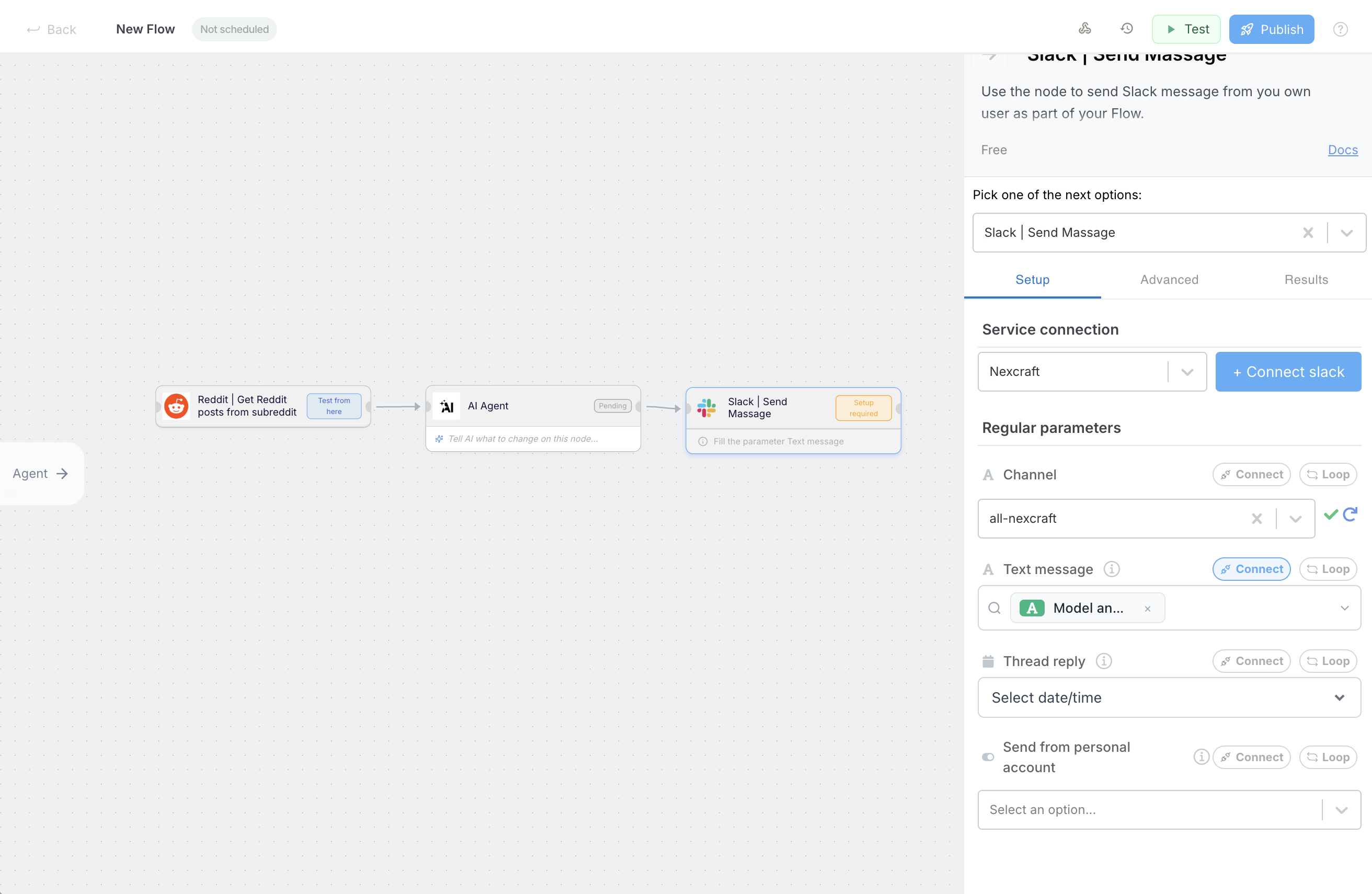
From the Nodes Catalog, drag **Reddit**, **AI Node**, and **Slack** to the Canvas.
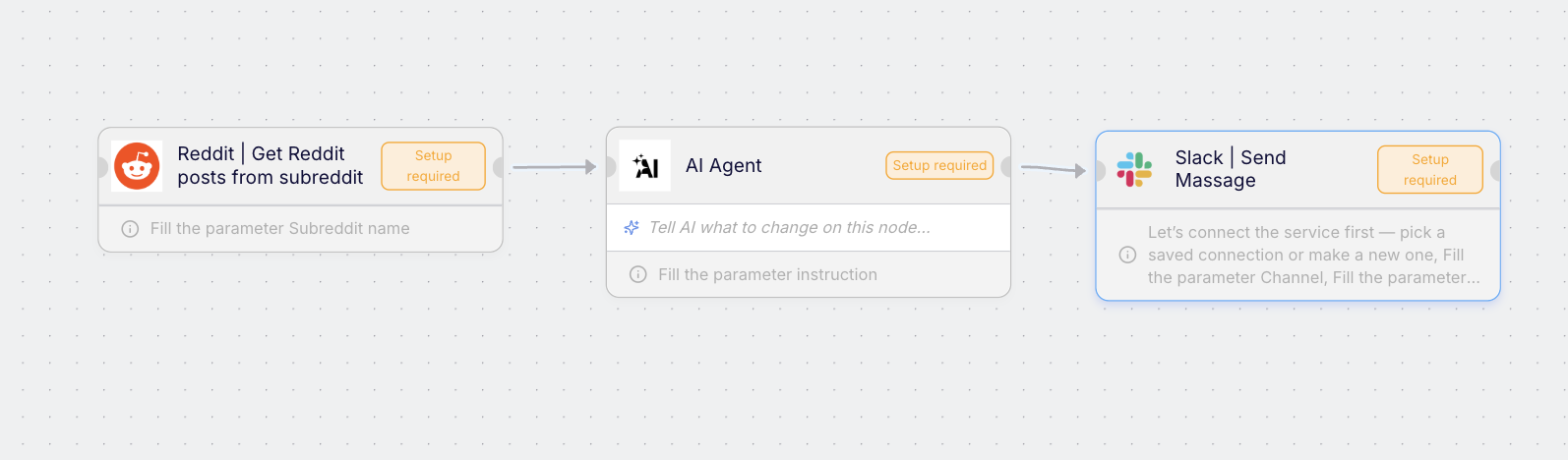
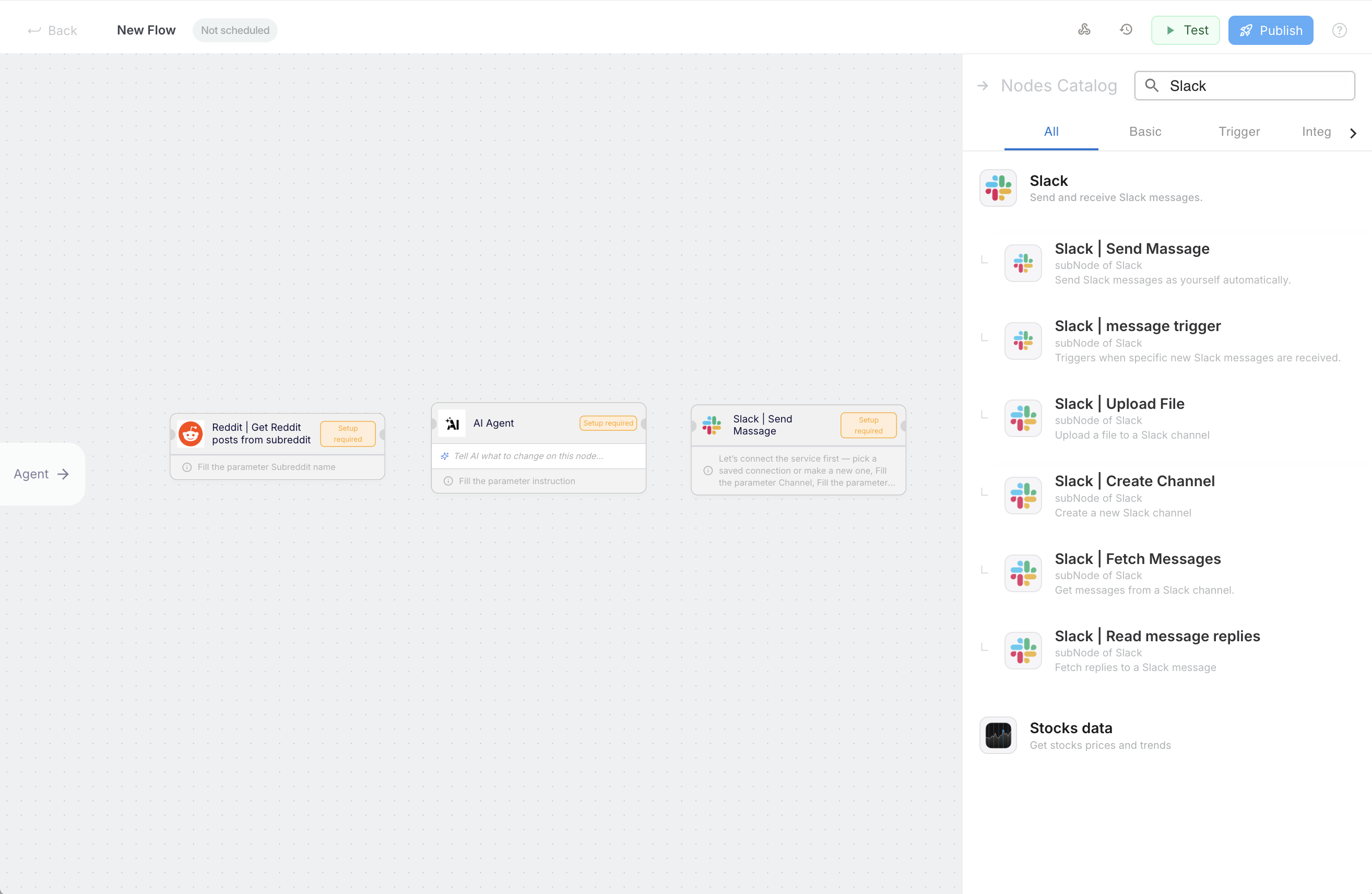 Connect Reddit → AI Node → Slack so data flows left to right.
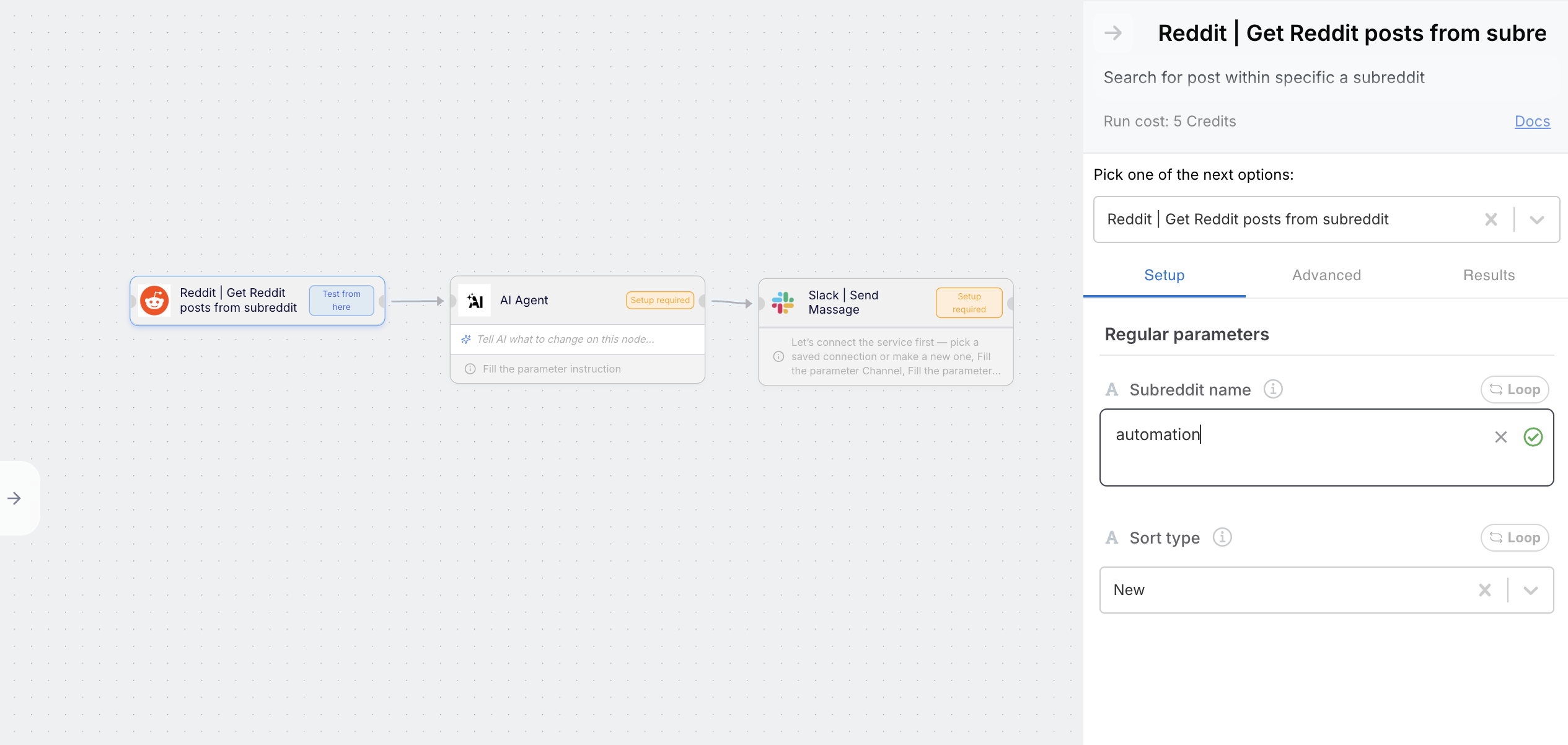
 * Reddit: choose subreddit and search query.
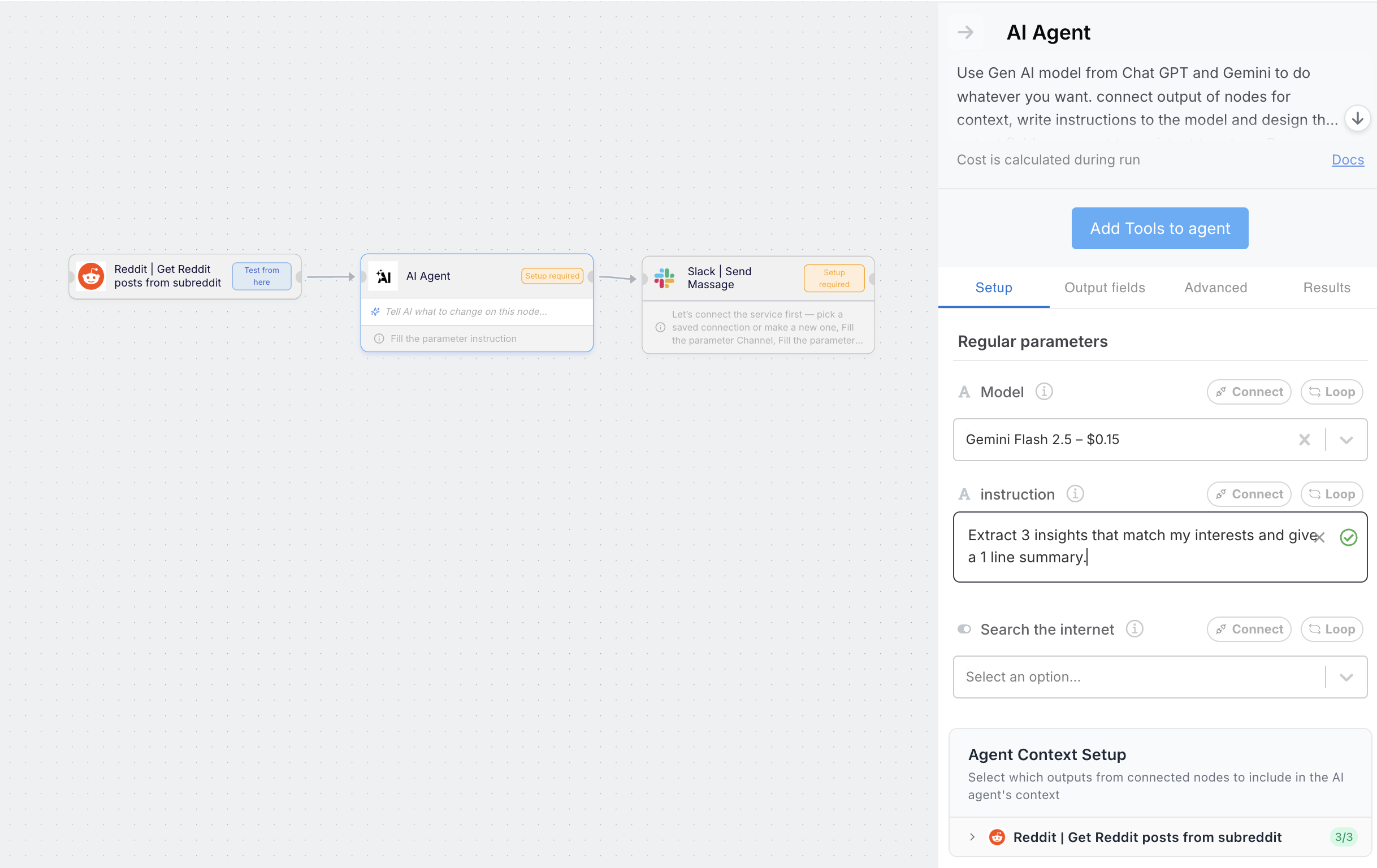
 * AI Node: write a prompt like **Extract 3 insights that match my interests and give a 1 line summary**.
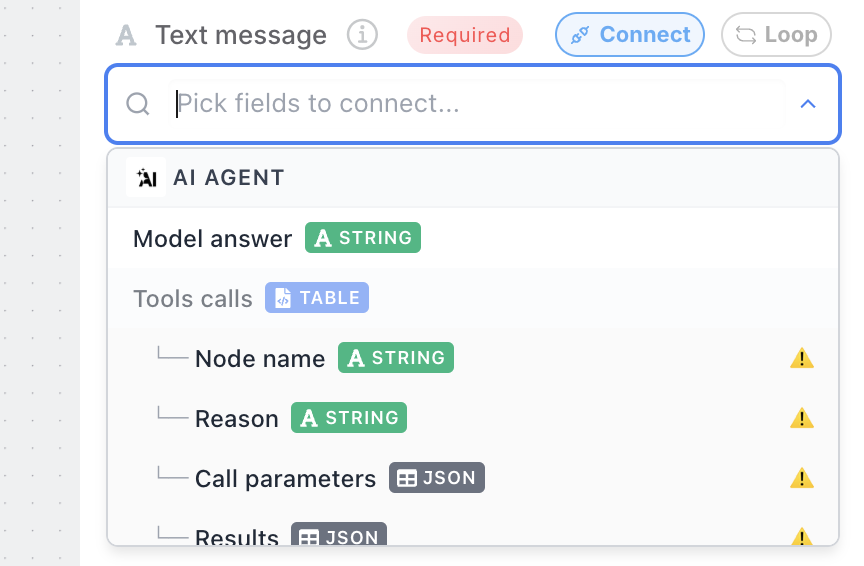
 * Slack: Authenticate and connect AI Agent output: press "Connect" and pick from the list the data you want to be send as the text message, on our case it's the "Model answer" of the AI Agent.
 * Now set the channel you want it to be sent.
 Run a test, review previews on each connection, then refine prompt or filters.
If you get stuck, ask the Agent to finish wiring the nodes or improve the prompt.
Run a test, review previews on each connection, then refine prompt or filters.
If you get stuck, ask the Agent to finish wiring the nodes or improve the prompt.