> ## Documentation Index
> Fetch the complete documentation index at: https://docs.getkadabra.com/llms.txt
> Use this file to discover all available pages before exploring further.
# Set Node Parameters
> Configure each node so it does exactly what you need
# Node Parameters
Every node has parameters that control its behavior.
## Typical Input parameters
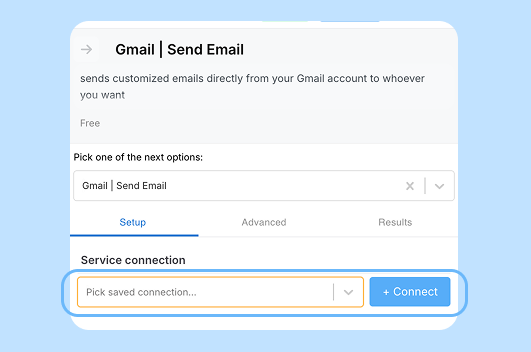 * **Auth and credentials** - pick which connection to use.
* **Filters and queries** - limit the data you fetch or pass forward.
* **Prompt or instructions** - tell AI nodes what to do in plain English.
### Output Parameters
* **Output shaping** - choose what fields to data for downstream nodes.
Use sample data to testv parameters and verify the output fields are what you expect.
* **Auth and credentials** - pick which connection to use.
* **Filters and queries** - limit the data you fetch or pass forward.
* **Prompt or instructions** - tell AI nodes what to do in plain English.
### Output Parameters
* **Output shaping** - choose what fields to data for downstream nodes.
Use sample data to testv parameters and verify the output fields are what you expect.