> ## Documentation Index
> Fetch the complete documentation index at: https://docs.getkadabra.com/llms.txt
> Use this file to discover all available pages before exploring further.
# Understand Credits
> Learn how credits are consumed and how to track usage
# Credits
Credits are the usage currency that power every action inside Kadabra.
## How credits are consumed
Each node has a specific credit cost on execution.\
Examples: **AI Node = 50 credits**, **Google Search = 1 credit**.
A flow is a set of nodes. The **total run cost = sum of all node costs** that executed in that run.
Example: 1 AI Node + 1 Google Search = **51 credits per run**.
## Find and track costs
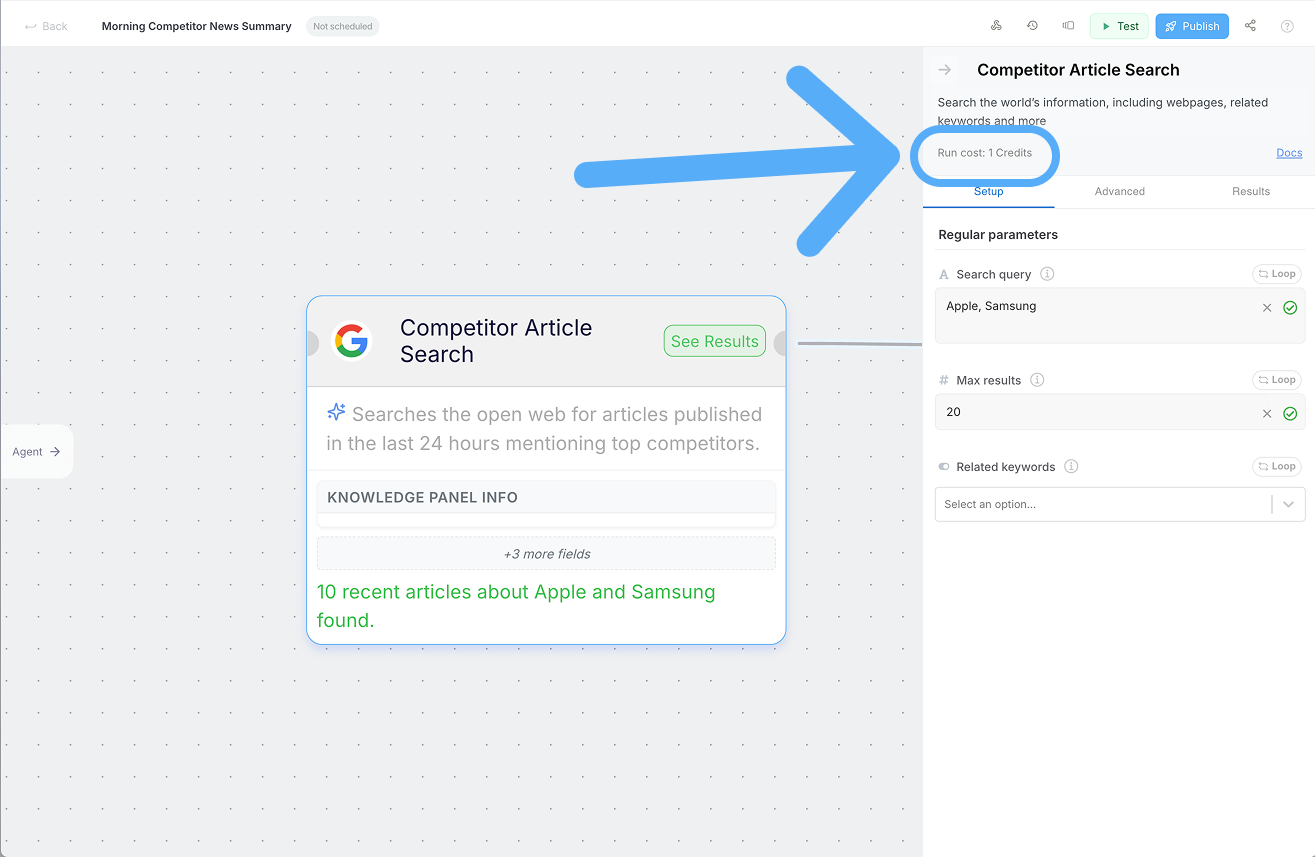 * **Find node costs** in the Nodes Catalog when creating or editing a flow.
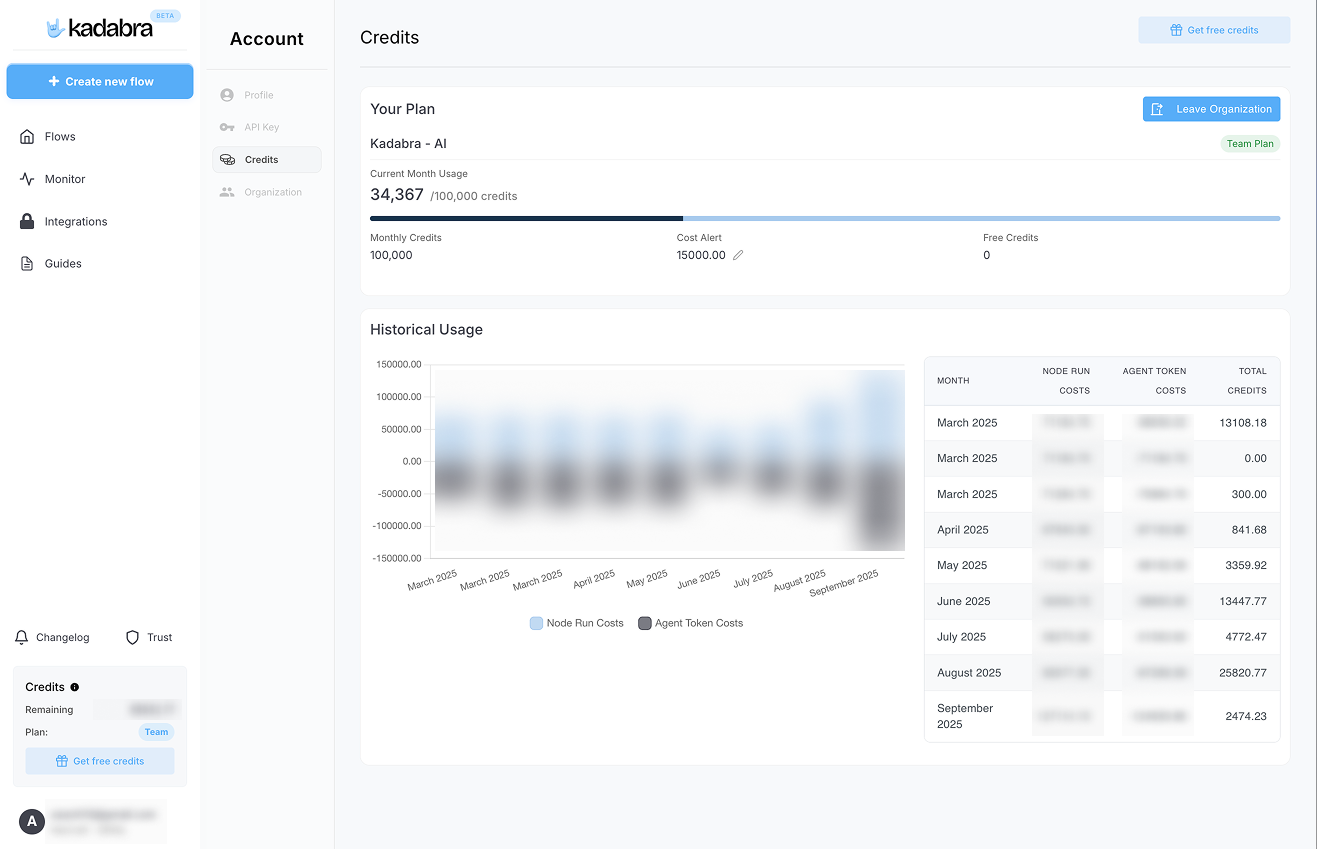 * **Track usage** from your **Account** page to see run history, remaining credits, and billing.