> ## Documentation Index
> Fetch the complete documentation index at: https://docs.getkadabra.com/llms.txt
> Use this file to discover all available pages before exploring further.
# AI Agent
# AI Agent Node
 ## Overview
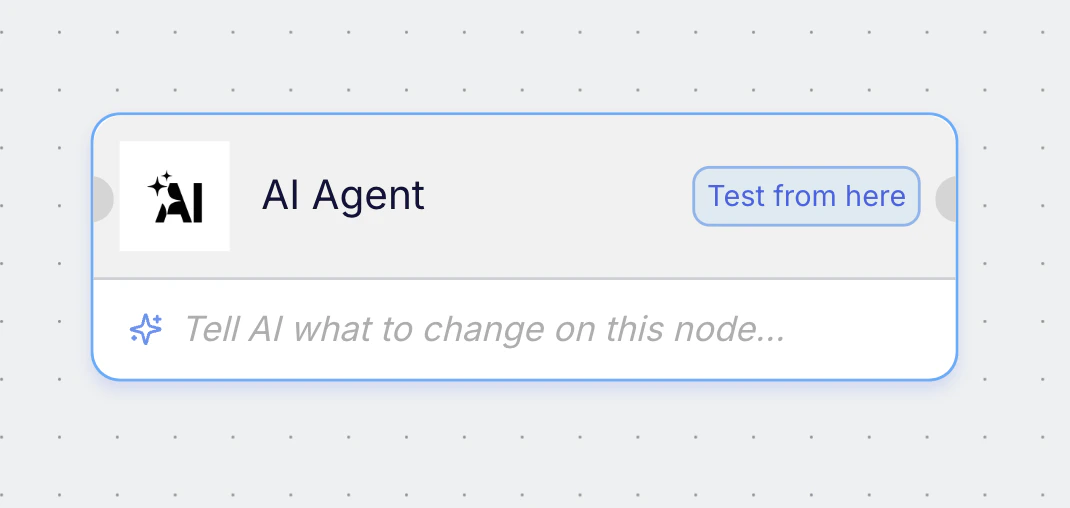
The **AI Agent Node** transforms Kadabra workflows into intelligent, autonomous systems powered by large language models such as GPT and Gemini. It enables agents to reason through tasks, use tools, search the web, and act contextually based on your instructions.
The **AI Agent Node** operates autonomously. It can plan, call tools dynamically, access real-time data, and generate structured outputs.
***
## Core Capabilities
### Agentic Reasoning
The Agent can plan multi-step actions, decide when to use tools, and adapt its behavior dynamically to achieve your goal.
### Multi-Model Support
Choose between leading LLMs, each optimized for different use cases:
| Model | Best For |
| :--------------- | :---------------------------------- |
| GPT-4.1 | Deep reasoning & advanced logic |
| GPT-4.1 Mini | Balanced reasoning and efficiency |
| GPT-4o Mini | Fast and cost-effective execution |
| Gemini Flash 2.5 | Real-time, low-latency analysis |
| Gemini Pro 2.5 | Complex data reasoning and planning |
### Context Awareness
Connect data outputs from previous nodes (APIs, spreadsheets, or databases) to include as context in the Agent’s reasoning.
### Tool Calling
Allow the Agent to autonomously use external integrations like Slack, Gmail, or X (Twitter). Tools can be configured and scoped to ensure safe and controlled use.
### Live Internet Search
Toggle **Search the Internet** to enable the Agent to access real-time data for current information and trend analysis.
### Extended Context Window
Process up to **100,000 tokens per run** (input + output). Ideal for large datasets, long documents, or complex multi-step reasoning.
### Structured Output
You can define structured output fields for predictable results.
***
## When to Use?
Use the **AI Agent Node** when your automation needs adaptive intelligence, advanced reasoning, or tool interaction: Autonomous Decision Making, Live Research or Intelligent Analysis.
***
## Setup Guide
### Step 1: Select Model
In the **Setup** tab, choose your model. Each option shows its estimated token cost.
> **Tip:** Use *Gemini Flash 2.5* for fast, inexpensive runs or *GPT-4.1* for deeper reasoning.
### Step 2: Write Instructions
Describe your desired outcome clearly in natural language.
**Examples:**
* "Analyze my latest emails and summarize engagement trends."
* "Check the latest customer feedback and highlight recurring pain points."
Clear, outcome-driven prompts produce more accurate and contextual results.
### Step 3: Connect Context
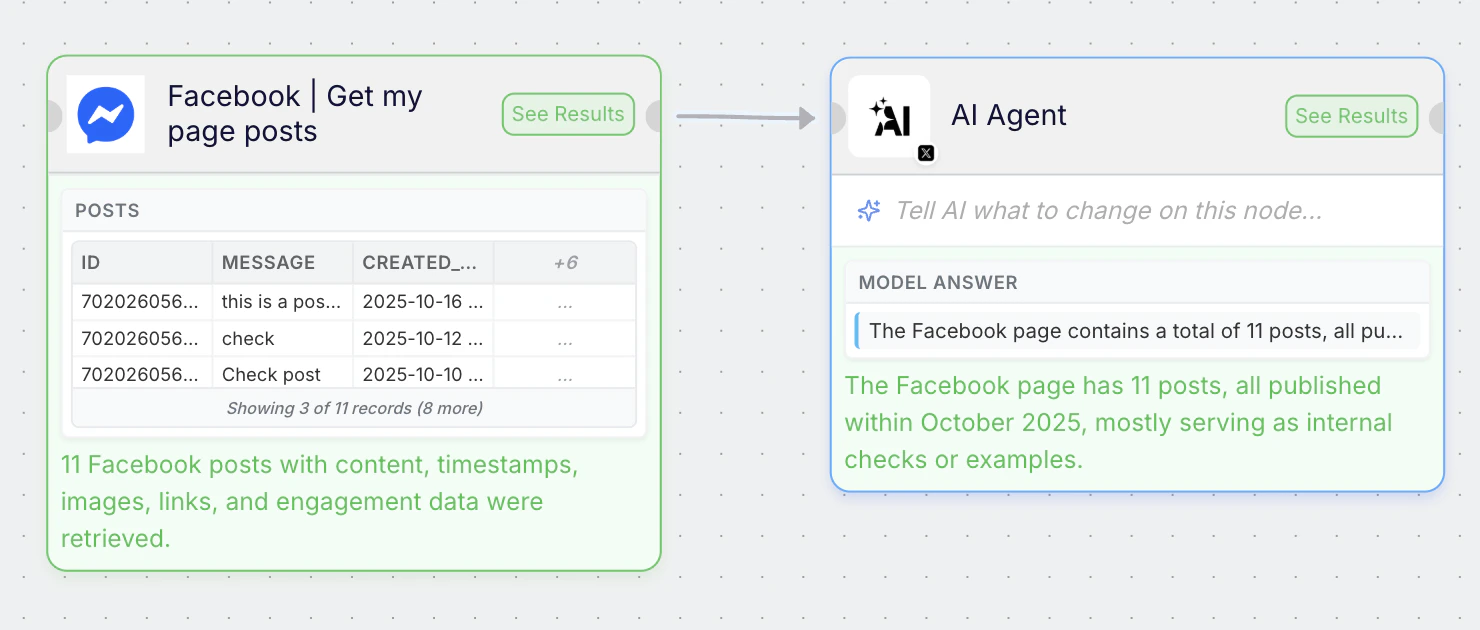
Under **Agent Context Setup**, select which node outputs to include as input context. The Agent will reason based on this data.
**Example, connecting Facebook posts as context:**
## Overview
The **AI Agent Node** transforms Kadabra workflows into intelligent, autonomous systems powered by large language models such as GPT and Gemini. It enables agents to reason through tasks, use tools, search the web, and act contextually based on your instructions.
The **AI Agent Node** operates autonomously. It can plan, call tools dynamically, access real-time data, and generate structured outputs.
***
## Core Capabilities
### Agentic Reasoning
The Agent can plan multi-step actions, decide when to use tools, and adapt its behavior dynamically to achieve your goal.
### Multi-Model Support
Choose between leading LLMs, each optimized for different use cases:
| Model | Best For |
| :--------------- | :---------------------------------- |
| GPT-4.1 | Deep reasoning & advanced logic |
| GPT-4.1 Mini | Balanced reasoning and efficiency |
| GPT-4o Mini | Fast and cost-effective execution |
| Gemini Flash 2.5 | Real-time, low-latency analysis |
| Gemini Pro 2.5 | Complex data reasoning and planning |
### Context Awareness
Connect data outputs from previous nodes (APIs, spreadsheets, or databases) to include as context in the Agent’s reasoning.
### Tool Calling
Allow the Agent to autonomously use external integrations like Slack, Gmail, or X (Twitter). Tools can be configured and scoped to ensure safe and controlled use.
### Live Internet Search
Toggle **Search the Internet** to enable the Agent to access real-time data for current information and trend analysis.
### Extended Context Window
Process up to **100,000 tokens per run** (input + output). Ideal for large datasets, long documents, or complex multi-step reasoning.
### Structured Output
You can define structured output fields for predictable results.
***
## When to Use?
Use the **AI Agent Node** when your automation needs adaptive intelligence, advanced reasoning, or tool interaction: Autonomous Decision Making, Live Research or Intelligent Analysis.
***
## Setup Guide
### Step 1: Select Model
In the **Setup** tab, choose your model. Each option shows its estimated token cost.
> **Tip:** Use *Gemini Flash 2.5* for fast, inexpensive runs or *GPT-4.1* for deeper reasoning.
### Step 2: Write Instructions
Describe your desired outcome clearly in natural language.
**Examples:**
* "Analyze my latest emails and summarize engagement trends."
* "Check the latest customer feedback and highlight recurring pain points."
Clear, outcome-driven prompts produce more accurate and contextual results.
### Step 3: Connect Context
Under **Agent Context Setup**, select which node outputs to include as input context. The Agent will reason based on this data.
**Example, connecting Facebook posts as context:**
 By default, all data from the connected node is sent to the agent as context.\
If you want to customize this and pass only specific fields or values, you can adjust it in the **Setup** tab of the Agent node:
By default, all data from the connected node is sent to the agent as context.\
If you want to customize this and pass only specific fields or values, you can adjust it in the **Setup** tab of the Agent node:
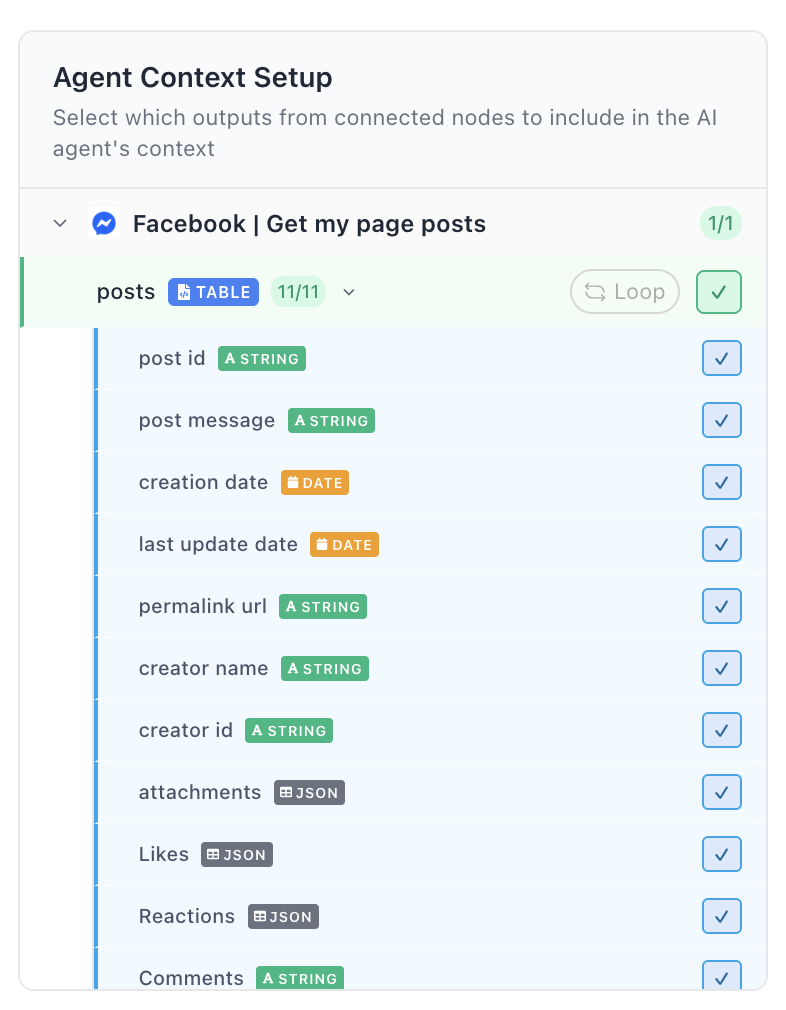 For large datasets, enable **Looping** to process multiple items efficiently.
### Step 4: Add Tools to Agent
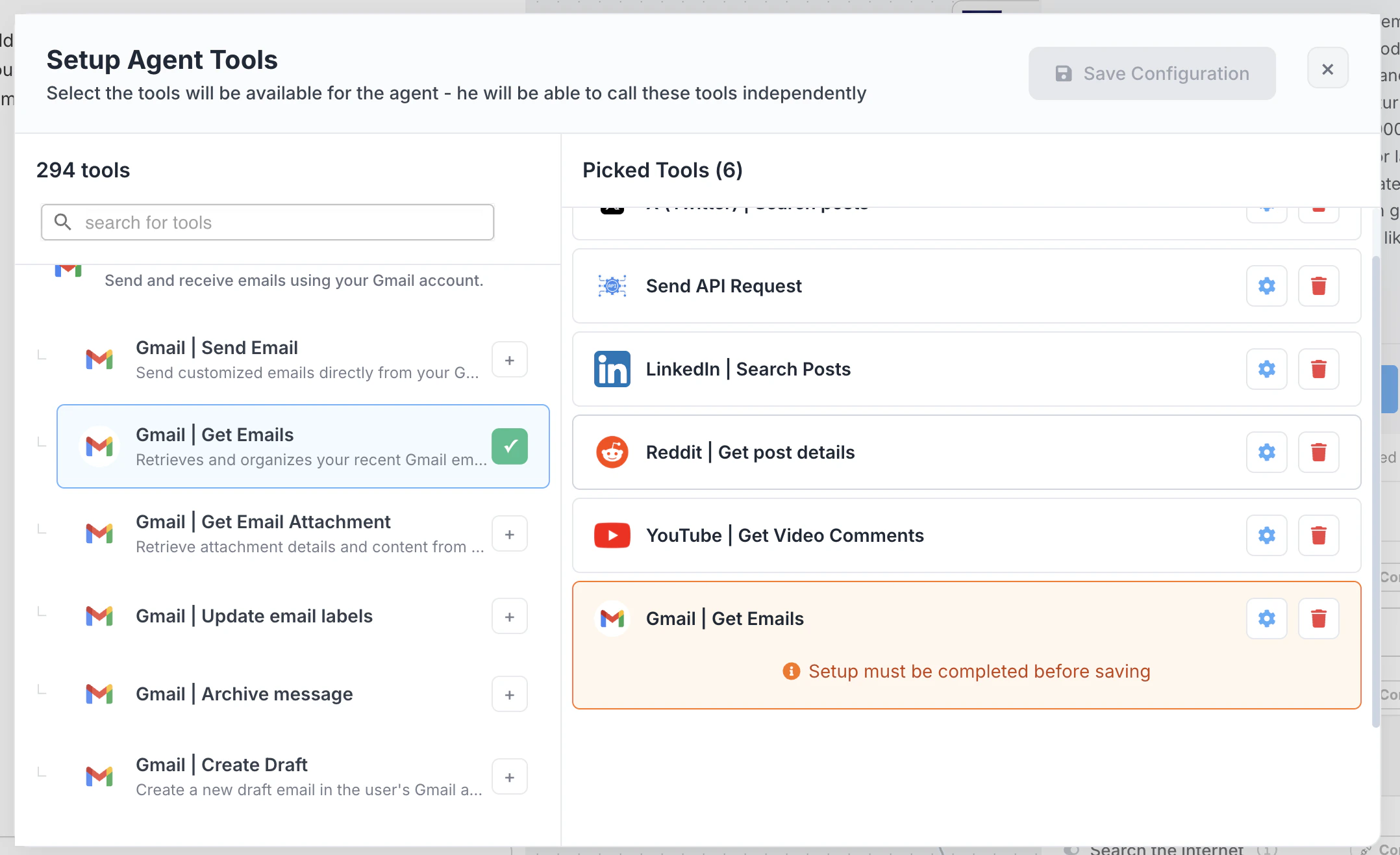
Click **Add Tools to Agent** to assign integrations the Agent can autonomously use
For large datasets, enable **Looping** to process multiple items efficiently.
### Step 4: Add Tools to Agent
Click **Add Tools to Agent** to assign integrations the Agent can autonomously use
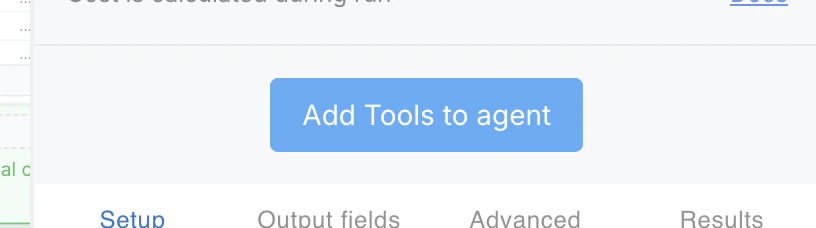 1. Open the tool picker modal.
2. Choose integrations (e.g., Slack, Gmail, X/Twitter).
3. Complete setup and permissions for each selected tool.
4. Save configuration.
**Example:** `Gmail | Get Emails` – allows the Agent to get emails directly from your Gmail account.
1. Open the tool picker modal.
2. Choose integrations (e.g., Slack, Gmail, X/Twitter).
3. Complete setup and permissions for each selected tool.
4. Save configuration.
**Example:** `Gmail | Get Emails` – allows the Agent to get emails directly from your Gmail account.
 ### Step 6: Configure Output Fields (Optional)
Define structured output fields for predictable results.
| Field Name | Type | Description |
| :--------------- | :----- | :----------------------------- |
| summary | string | A concise summary of findings |
| sentiment\_score | number | Sentiment result from analysis |
| recommendations | table | Suggested next actions |
If no fields are defined, the Agent returns plain text.
### Step 7: Run & Review Results
Click **Run** to execute. The **Results** tab displays:
* Reasoning trace
* Tool usage log
* Token usage & cost
* Generated outputs
The system calculates cost dynamically during execution.
***
## Best Practices
* Keep prompts explicit and goal-oriented.
* Limit context to relevant information to reduce cost.
* Use structured outputs when results feed into other nodes.
* Test iteratively before enabling loops.
* Grant the minimal required tool permissions.
***
## Troubleshooting
| Issue | Cause | Fix |
| :------------------ | :----------------------------------- | :-------------------------------------------- |
| Agent not running | Missing model or invalid instruction | Check model selection and re-run |
| Inaccurate results | Ambiguous prompt | Refine instruction and provide context |
| Tools not triggered | Tool not configured or unauthorized | Reopen **Add Tools to Agent** and reconfigure |
| High run cost | Excessive context size | Reduce context or use lower-cost model |
***
## The ReAct Framework
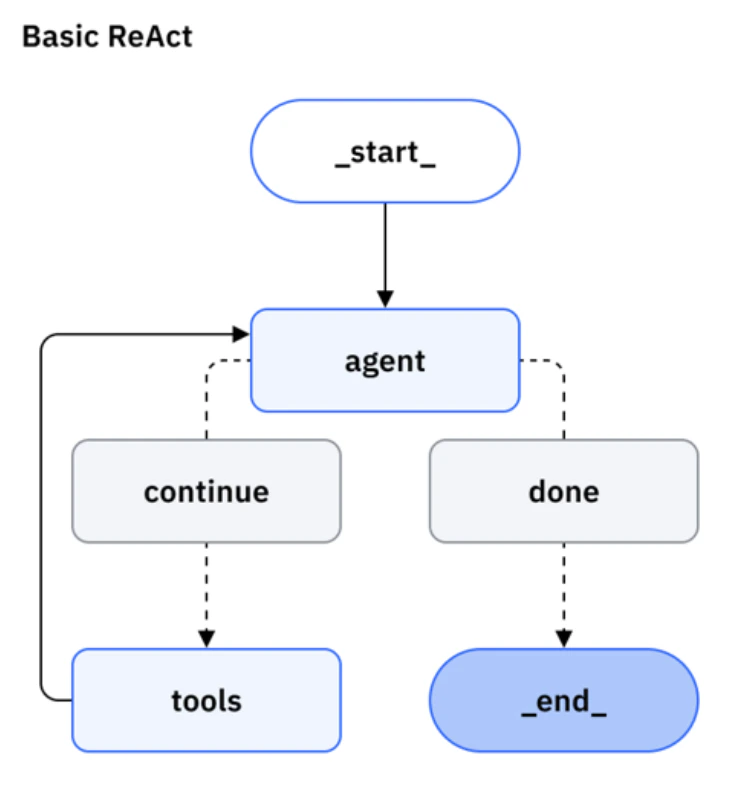
The **ReAct (Reason + Act)** framework powers Kadabra’s AI Agents. It’s how they think and operate during a workflow.
Instead of just answering once, the Agent **reasons about what to do**, performs an **action** (like calling a tool or analyzing data), and then **reflects on the result** before deciding what to do next.
Think of it as a loop:
1. **Reason** – The Agent analyzes the situation and plans the next step.
2. **Act** – It performs that action (for example, fetching data or sending a Slack message).
3. **Observe** – It checks what happened as a result.
4. **Continue or Finish** – It either continues reasoning with the new information or ends the task.
This allows the Agent to work more like a human analyst: learning from context, acting intentionally, and adapting based on feedback.
### Step 6: Configure Output Fields (Optional)
Define structured output fields for predictable results.
| Field Name | Type | Description |
| :--------------- | :----- | :----------------------------- |
| summary | string | A concise summary of findings |
| sentiment\_score | number | Sentiment result from analysis |
| recommendations | table | Suggested next actions |
If no fields are defined, the Agent returns plain text.
### Step 7: Run & Review Results
Click **Run** to execute. The **Results** tab displays:
* Reasoning trace
* Tool usage log
* Token usage & cost
* Generated outputs
The system calculates cost dynamically during execution.
***
## Best Practices
* Keep prompts explicit and goal-oriented.
* Limit context to relevant information to reduce cost.
* Use structured outputs when results feed into other nodes.
* Test iteratively before enabling loops.
* Grant the minimal required tool permissions.
***
## Troubleshooting
| Issue | Cause | Fix |
| :------------------ | :----------------------------------- | :-------------------------------------------- |
| Agent not running | Missing model or invalid instruction | Check model selection and re-run |
| Inaccurate results | Ambiguous prompt | Refine instruction and provide context |
| Tools not triggered | Tool not configured or unauthorized | Reopen **Add Tools to Agent** and reconfigure |
| High run cost | Excessive context size | Reduce context or use lower-cost model |
***
## The ReAct Framework
The **ReAct (Reason + Act)** framework powers Kadabra’s AI Agents. It’s how they think and operate during a workflow.
Instead of just answering once, the Agent **reasons about what to do**, performs an **action** (like calling a tool or analyzing data), and then **reflects on the result** before deciding what to do next.
Think of it as a loop:
1. **Reason** – The Agent analyzes the situation and plans the next step.
2. **Act** – It performs that action (for example, fetching data or sending a Slack message).
3. **Observe** – It checks what happened as a result.
4. **Continue or Finish** – It either continues reasoning with the new information or ends the task.
This allows the Agent to work more like a human analyst: learning from context, acting intentionally, and adapting based on feedback.
 ***
## Summary
The **AI Agent Node** is Kadabra’s most powerful node for intelligent, adaptive automation. It combines natural-language reasoning, contextual awareness, and real-world action execution to create workflows that don’t just run - they think, decide, and act.
***
## Summary
The **AI Agent Node** is Kadabra’s most powerful node for intelligent, adaptive automation. It combines natural-language reasoning, contextual awareness, and real-world action execution to create workflows that don’t just run - they think, decide, and act.