AI Agent Node
Overview
The AI Agent Node transforms Kadabra workflows into intelligent, autonomous systems powered by large language models such as GPT and Gemini. It enables agents to reason through tasks, use tools, search the web, and act contextually based on your instructions. The AI Agent Node operates autonomously. It can plan, call tools dynamically, access real-time data, and generate structured outputs.Core Capabilities
Agentic Reasoning
The Agent can plan multi-step actions, decide when to use tools, and adapt its behavior dynamically to achieve your goal.Multi-Model Support
Choose between leading LLMs, each optimized for different use cases:Context Awareness
Connect data outputs from previous nodes (APIs, spreadsheets, or databases) to include as context in the Agent’s reasoning.Tool Calling
Allow the Agent to autonomously use external integrations like Slack, Gmail, or X (Twitter). Tools can be configured and scoped to ensure safe and controlled use.Live Internet Search
Toggle Search the Internet to enable the Agent to access real-time data for current information and trend analysis.Extended Context Window
Process up to 100,000 tokens per run (input + output). Ideal for large datasets, long documents, or complex multi-step reasoning.Structured Output
You can define structured output fields for predictable results.When to Use?
Use the AI Agent Node when your automation needs adaptive intelligence, advanced reasoning, or tool interaction: Autonomous Decision Making, Live Research or Intelligent Analysis.Setup Guide
Step 1: Select Model
In the Setup tab, choose your model. Each option shows its estimated token cost.Tip: Use Gemini Flash 2.5 for fast, inexpensive runs or GPT-4.1 for deeper reasoning.
Step 2: Write Instructions
Describe your desired outcome clearly in natural language. Examples:- “Analyze my latest emails and summarize engagement trends.”
- “Check the latest customer feedback and highlight recurring pain points.”
Step 3: Connect Context
Under Agent Context Setup, select which node outputs to include as input context. The Agent will reason based on this data. Example, connecting Facebook posts as context: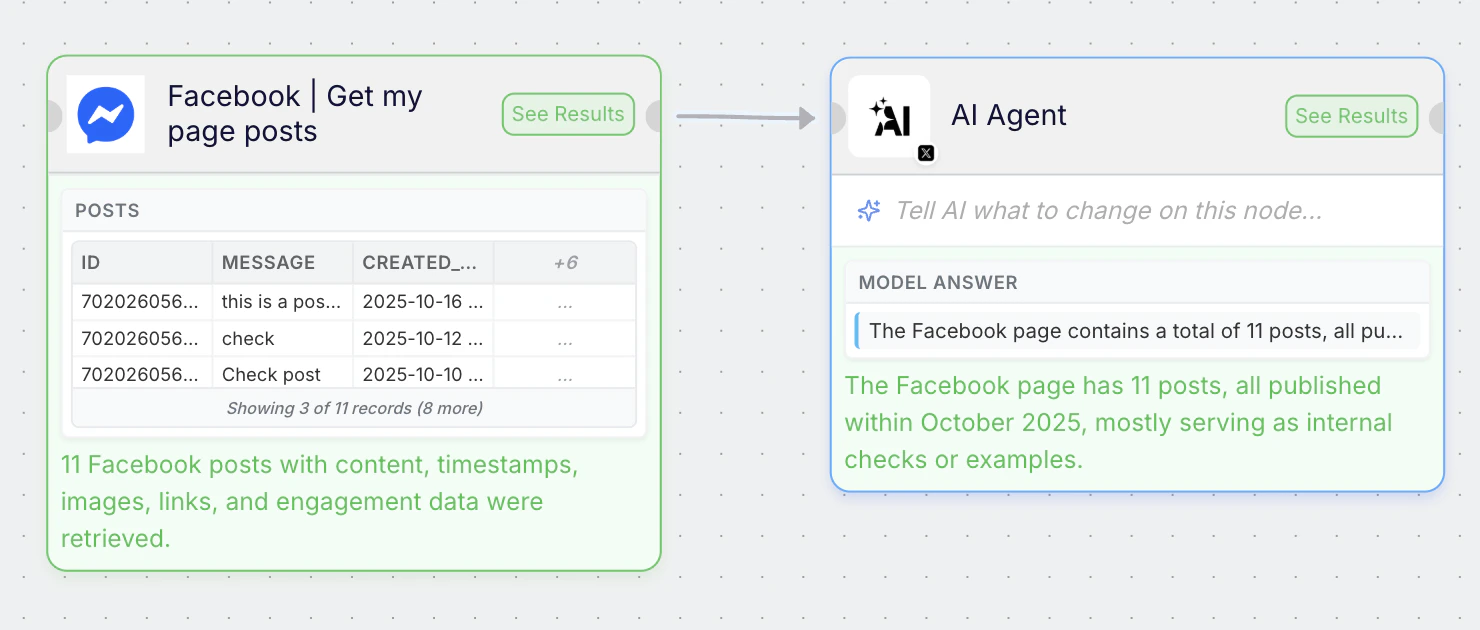
By default, all data from the connected node is sent to the agent as context.
If you want to customize this and pass only specific fields or values, you can adjust it in the Setup tab of the Agent node: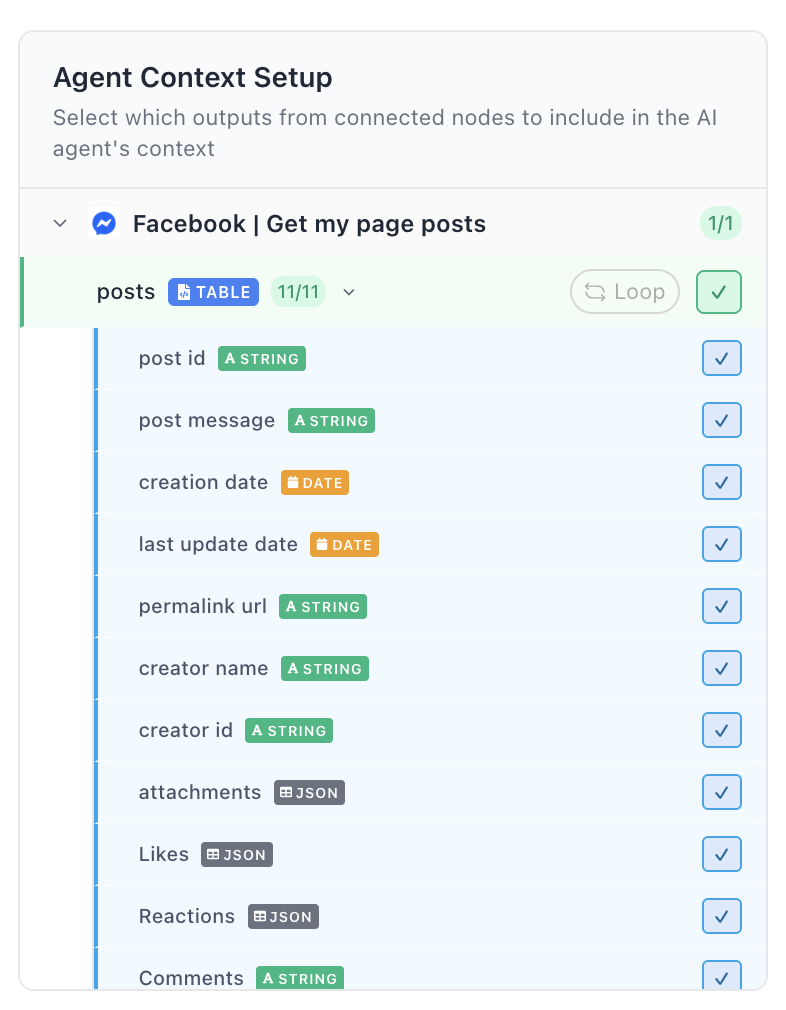
If you want to customize this and pass only specific fields or values, you can adjust it in the Setup tab of the Agent node:
Step 4: Add Tools to Agent
Click Add Tools to Agent to assign integrations the Agent can autonomously use
- Open the tool picker modal.
- Choose integrations (e.g., Slack, Gmail, X/Twitter).
- Complete setup and permissions for each selected tool.
- Save configuration.
Gmail | Get Emails – allows the Agent to get emails directly from your Gmail account.
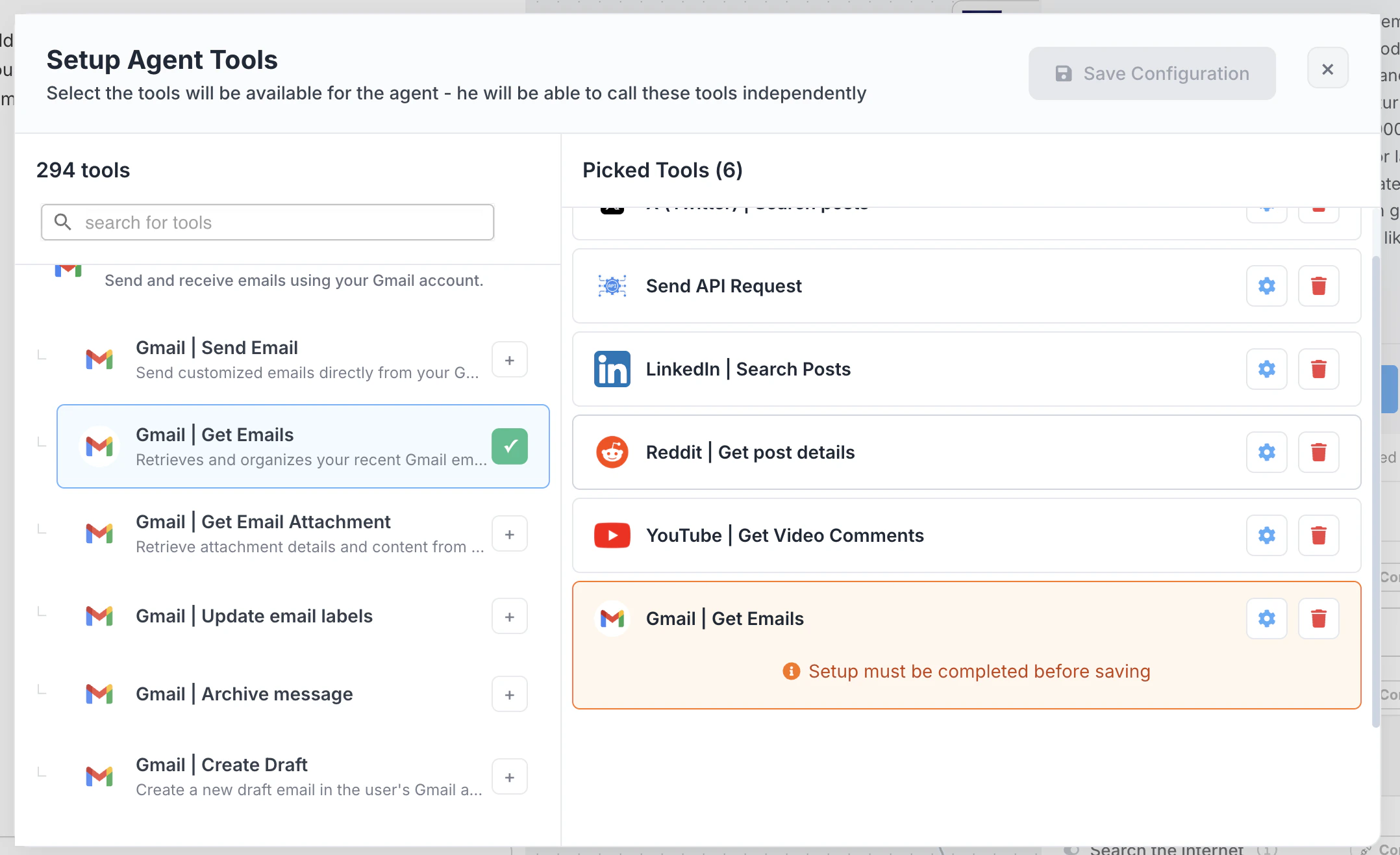
Step 6: Configure Output Fields (Optional)
Define structured output fields for predictable results.
If no fields are defined, the Agent returns plain text.
Step 7: Run & Review Results
Click Run to execute. The Results tab displays:- Reasoning trace
- Tool usage log
- Token usage & cost
- Generated outputs
Best Practices
- Keep prompts explicit and goal-oriented.
- Limit context to relevant information to reduce cost.
- Use structured outputs when results feed into other nodes.
- Test iteratively before enabling loops.
- Grant the minimal required tool permissions.
Troubleshooting
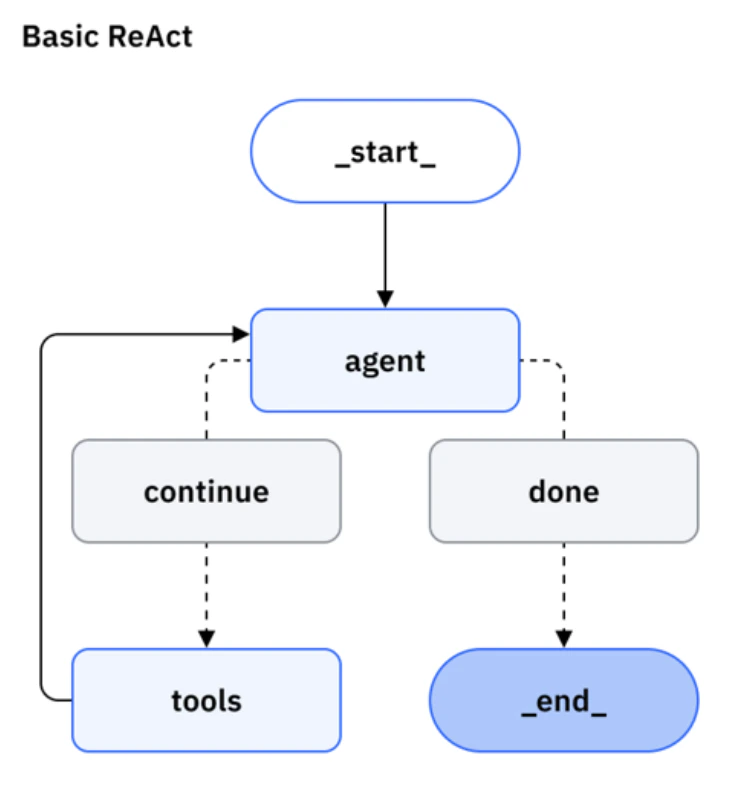
The ReAct Framework
The ReAct (Reason + Act) framework powers Kadabra’s AI Agents. It’s how they think and operate during a workflow. Instead of just answering once, the Agent reasons about what to do, performs an action (like calling a tool or analyzing data), and then reflects on the result before deciding what to do next. Think of it as a loop:- Reason – The Agent analyzes the situation and plans the next step.
- Act – It performs that action (for example, fetching data or sending a Slack message).
- Observe – It checks what happened as a result.
- Continue or Finish – It either continues reasoning with the new information or ends the task.